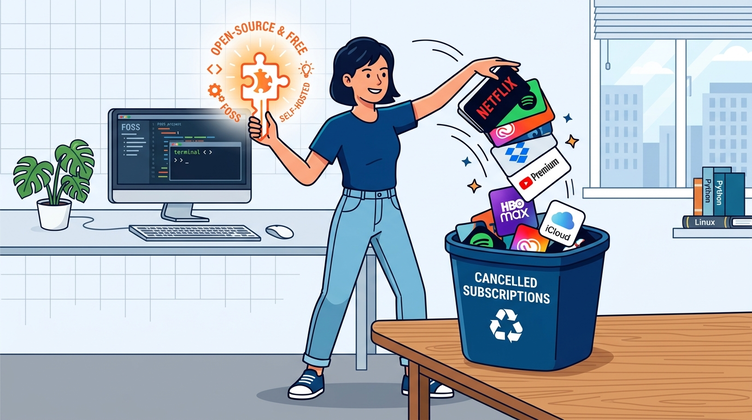
The “Rent Your Life” Dilemma
For the past decade, personal computing has shifted from ownership to what feels like constant renting. What used to be files on your hard drive are now behind a portal in the browser, a rental system of $9.99 every thirty days. If your card expires, new Terms of Service are unagreeable, or your account triggered an opaque automated moderation, your data and all the tools you needed in the morning can vanish that afternoon.
But increasingly our devices and software and subscriptions depend on us. Our health stats, photo libraries, and time logs live in a subscription, insecure, unreadable box in the cloud. Our passwords, database entries, and documents are locked inside proprietary systems designed to be abandoned, locked out, or ransomed. And with every new subscription, the cog—and dollar—load seems to increase.
The good news is that you do not have to live inside someone else’s walled garden.
A vibrant ecosystem of Free and Open-Source Software (FOSS) and local-first tools has matured to the point where they are not just “acceptable compromises”—in many ways, they are faster, cleaner, more private, and drastically more reliable than the bloated commercial software they replace.
In this guide, we break down 7 major subscription services, the best free open-source alternatives, how much money you will save, and exactly how to migrate your files today without touching a terminal or learning complicated server administration.
The 7 Replacements at a Glance
| Commercial Service | Typical Monthly Cost | Open-Source / Local Replacement | Setup Difficulty | Why It’s Better |
|---|---|---|---|---|
| Dropbox / Google Drive | $9.99 / mo | Syncthing | Beginner | Direct P2P sync, no storage caps, zero cloud tracking |
| Google Photos / iCloud | $2.99 – $9.99 / mo | Immich or Ente | Beginner / Intermediate | Full resolution preservation, local AI tagging, no compression |
| Spotify / Apple Music | $10.99 / mo | Auxio / Navidrome | Beginner | Zero audio ads, offline playback, lossless audio support |
| Notion / Evernote | $10.00 / mo | Obsidian / Logseq | Beginner | Plain Markdown files on your disk, works 100% offline |
| 1Password / Dashlane | $2.99 – $4.99 / mo | Bitwarden / KeePassXC | Beginner | Audited open cryptography, cross-device sync, free tier |
| Microsoft 365 | $6.99 – $9.99 / mo | LibreOffice / OnlyOffice | Beginner | Native offline file creation, no mandatory telemetry |
| Pocket / Instapaper | $4.99 / mo | Wallabag / Omnivore | Beginner | Full offline article archiving with clean reader mode |
Total Estimated Annual Savings: $580.00 – $850.00+ USD
1. Replace Dropbox & Google Drive with Syncthing
The Problem with Cloud Drives
Commercial cloud storage providers scan your files for telemetry, throttle transfer speeds, impose artificial bandwidth limits, and force you into higher-tier storage buckets as soon as you cross their 15GB complimentary limit. Furthermore, syncing large video files or zip archives requires uploading them through your internet connection, even if the destination computer is sitting three feet away on the same desk.
The Solution: Syncthing
Syncthing is an open-source, peer-to-peer file synchronization tool. Rather than uploading your files to an intermediary server in Silicon Valley, Syncthing connects your laptop, desktop, phone, and tablet directly over your local home Wi-Fi network (or encrypted over the internet via secure relay points).
[Your Laptop]  <======= Encrypted Local P2P =======>  [Your Desktop / Old PC]
       \                                                      /
        \====== Encrypted Sync ======> [Your Phone] <========/
Key Advantages:
- Unlimited Capacity: If your computer has a 2TB hard drive, your sync pool is 2TB. You never pay for “extra cloud tiers.”
- Blazing Local Speeds: Syncing files across devices in the same room transfers at full Wi-Fi speeds (often 300–800 Mbps), bypassing ISP upload bottlenecks.
- End-to-End Encryption: Your files never sit unencrypted on an unknown corporate server.
Quick-Start Guide:
- Download Syncthing on your primary laptop from
syncthing.netand on your Android phone via F-Droid or the Google Play Store (on iOS, look for the compatible client Möbius Sync). - Launch Syncthing on both devices. Each device will generate an anonymous 56-character Device ID or QR code.
- Click Add Remote Device and scan the QR code between your laptop and phone.
- Select a local folder (such as
DocumentsorProjects), check the box next to your paired device, and hit Save. - Any file dropped into that folder will immediately mirror to your other device in real time.
2. Replace Google Photos & iCloud Photos with Immich or Ente
The Problem with Cloud Galleries
Google Photos and Apple iCloud offer convenience, but at the cost of aggressive metadata harvesting, facial recognition profiles tied to your real identity, and gradual image compression unless you buy costly monthly storage tiers.
The Solution: Immich (Self-Hosted) or Ente (Local-First / E2EE)
- Immich: A high-performance photo management application that looks, feels, and acts almost identically to Google Photos. It includes facial recognition, object detection, interactive map views, and multi-user family sharing—all running strictly on your local computer or home server.
- Ente Photos: An end-to-end encrypted alternative designed for users who want zero-knowledge cloud backups where not even the company operating the servers can view your photos.
Why the Switch is Worth It:
- Original Quality Always: No algorithm downscaling your 4K memories or converting your RAW photos into compressed JPEGs.
- Local AI Recognition: Immich performs machine learning face clustering directly on your local CPU/GPU hardware—your family photos never train someone else’s commercial AI models.
- Instant Camera Roll Offloading: Automatically back up photos from your phone over your home Wi-Fi every time you plug your phone in to charge at night.
3. Replace Spotify & Apple Music with a Local Audio Library & Auxio / Navidrome
The Problem with Music Streaming
Streaming platforms rent music to you rather than selling it. Songs regularly disappear due to licensing disputes, regional restrictions lock out foreign albums, audio quality is compressed, and you are constantly subjected to algorithmic suggestions, podcast banners, and price hikes.
The Solution: Owning Your Audio & Auxio / Navidrome
When you own your audio files (purchased via Bandcamp, ripped from old thrift-store CDs, or downloaded from independent artist channels), your library is yours forever.
/Music/
├── Khruangbin/
│   └── (2020) Mordechai/
│       ├── 01 - First Class.flac
│       └── 02 - Connaissais de Face.flac
└── Daft Punk/
    └── (2001) Discovery/
        ├── 01 - One More Time.mp3
└── 02 - Aerodynamic.mp3- For Phone Playback: Install Auxio, a lightweight, open-source audio player that uses zero background data, features a gorgeous modern interface, supports high-resolution FLAC and MP3 playback, and contains zero analytics.
- For Multi-Device Streaming: If you want a personal “private Spotify” that streams your collection from a desktop or old home laptop to all your devices, run Navidrome. It uses less than 50MB of RAM and streams seamlessly through apps like Substreamer or Symfonium.
Practical Benefits:
- Distraction-Free Listening: No pop-ups pushing the latest celebrity podcast or sponsored playlists.
- Audiophile Performance: Play uncompressed 24-bit/96kHz lossless audio without arbitrary bit-rate compression.
- Works 100% Offline: Ideal for flights, camping trips, subway commutes, or rural travel with zero cell reception.
4. Replace Notion & Evernote with Obsidian or Logseq
The Problem with Cloud Note-Taking
Notion and Evernote store your notes in proprietary databases on remote servers. If you do not have an active internet connection, editing can become sluggish or impossible. If the service experiences an outage or changes its pricing model, exporting thousands of formatted notes with nested blocks often turns into a broken, disorganized mess.
The Solution: Obsidian (Local Markdown) & Logseq
Obsidian and Logseq build your knowledge base on top of a simple folder filled with standard, plain-text .md (Markdown) files stored directly on your computer’s drive.
# Meeting Notes - August 26
Attended by: [[Alex]], [[Maria]]

- Discussed migration to open-source note repository.
- Next step: Review file hierarchy and setup [[Syncthing]] backup.
Why Local Markdown Wins:
- Future-Proof for Decades: Plain text files will still be readable 40 years from now on any computer, operating system, or text editor in existence.
- Instant Search: Because notes live in local memory, searching through 10,000 notes is instantaneous.
- Hyperlink Your Thoughts: Use
[[Internal Links]]and visual graph views to discover connections across your reading logs, journal entries, project ideas, and research docs. - Complete Ownership: Keep your personal diary and business strategies safely on your hardware rather than exposed in a corporate database.
5. Replace 1Password & Dashlane with Bitwarden or KeePassXC
The Problem with Proprietary Password Vaults
Password managers are critical pieces of your digital defense. Relying on closed-source software means you cannot inspect how your master key is handled in memory. Furthermore, locking your most sensitive credentials behind paid subscriptions creates unnecessary lock-in.
The Solution: Bitwarden & KeePassXC
- Bitwarden: Offers a fully functional free tier that syncs unlimited passwords across unlimited devices (laptops, phones, browsers) using third-party audited, zero-knowledge end-to-end encryption. You can also self-host the lightweight backend (Vaultwarden) if you prefer zero external servers.
- KeePassXC: A standalone, 100% offline password vault stored in a single encrypted
.kdbxfile on your drive. You can sync this single database file across your devices with Syncthing without touching any cloud service at all.
Step-by-Step Migration:
- Open your existing password manager (e.g., 1Password, Dashlane, or Chrome Passwords) and select Export Vault as
.csv. - Open Bitwarden (via web or desktop app) or KeePassXC.
- Select Tools > Import Data, choose your previous manager from the dropdown, and select your
.csvfile. - Verify that your logins, usernames, and two-factor recovery codes migrated correctly.
- Crucial Security Step: Securely delete the exported
.csvfile from your desktop trash immediately after importing.
6. Replace Microsoft 365 & Google Docs with LibreOffice or OnlyOffice
The Problem with Cloud Office Suites
Subscription office software now demands continuous internet connectivity, forces you to save to proprietary cloud drives by default, and continuously collects operational telemetry.
The Solution: LibreOffice & OnlyOffice
- LibreOffice: The veteran standard of open-source desktop productivity. It handles Word documents (
.docx), Excel spreadsheets (.xlsx), and PowerPoint presentations (.pptx) entirely offline without requiring user accounts or logins. - OnlyOffice: A modern desktop alternative that features a tabbed ribbon interface with near-flawless formatting compatibility for complex Microsoft Office files.
Why It’s Better:
- Clean Workspace: Zero prompts to “Sign in to your Microsoft Account” or buy additional OneDrive storage.
- Lightweight Footprint: Opens large spreadsheets and long text documents without consuming massive amounts of browser RAM.
- PDF Editing Built-In: LibreOffice Draw allows you to open, annotate, reorder, and sign PDF files directly without paying for expensive PDF editor licenses.
7. Replace Pocket & Instapaper with Wallabag or Omnivore
The Problem with Commercial Read-It-Later Tools
Articles saved to commercial bookmarking apps often disappear when the original website goes down, get cluttered with sponsored recommendation feeds, and require paid tiers to unlock full-text search and permanent highlighting.
The Solution: Wallabag & Local EPUB Exporting
Wallabag extracts the clean body text, images, and formatting of any web page, saving a permanent local copy to your personal archive.
Top Features:
- Ad-Free Clean Reader: Strips out auto-playing videos, paywall overlays, cookie consent banners, and tracking scripts.
- E-Reader Friendly: Export any batch of saved articles directly into standard
.epubor.mobiformat to read on your Kindle, Kobo, or budget e-ink reader during weekend trips. - Offline Reading: Mobile apps for Android and iOS keep all your saved articles accessible even while your device is in Airplane Mode.
The 3-Stage Transition Plan (Avoid Burnout)
Trying to replace all your digital services in a single afternoon can cause unnecessary stress. Instead, use this three-stage transition blueprint:
Stage 1: The Quick Wins (Day 1 – 15 Minutes)
- Install Bitwarden or KeePassXC and export your passwords from your browser.
- Install LibreOffice or OnlyOffice on your primary computer.
- Install Auxio on your phone and copy a few favorite albums.
Stage 2: The Core Workspace (Week 1)
- Install Obsidian and begin creating your daily notes as local Markdown files.
- Install Syncthing on your computer and phone to sync your
NotesandDocumentsfolders automatically. - Cancel your note-taking and commercial cloud drive subscriptions once verified.
Stage 3: The Media & Long-Term Archive (Month 1)
- Gather old photo libraries and consolidate them onto a primary local hard drive.
- Set up automated photo syncing with Immich or Syncthing.
- Turn an old laptop or low-power desktop into a dedicated home storage drive or backup repository.
Common Questions & Troubleshooting
“What happens if my laptop hard drive fails?”
When you use local-first tools, backup redundancy is essential. Always practice the 3-2-1 Backup Strategy:
- 3 total copies of your important data.
- 2 different types of physical storage media (e.g., your laptop SSD and an external USB hard drive).
- 1 copy kept off-site (e.g., an encrypted backup drive stored at a family member’s home or an encrypted cold cloud backup via tools like Restic or Kopia).
“Do I need to be a Linux expert or programmer?”
No. Every tool listed in this guide (Syncthing, Obsidian, Bitwarden, LibreOffice, Auxio) comes with straightforward graphical installers (.exe for Windows, .dmg for macOS, .apk / app store downloads for Android and iOS). If you can download an app and click “Next,” you can run these tools.
“Can I still share files with clients and friends who use Google Drive?”
Yes. You can generate one-off sharing links using free, privacy-friendly services like Send (open-source fork of Firefox Send) or simply upload individual files to a client’s requested portal when needed, without having to store your entire personal life on their platform.
Summary: Real Digital Self-Reliance
Reclaiming your digital independence does not require disconnecting from modern life or giving up convenience. It simply means choosing tools that work for you instead of tools that monetize your attention and rent you access to your own creations.
By substituting bloated subscriptions with clean, open-source alternatives, you save hundreds of dollars every year, protect your personal privacy, and gain the peace of mind that comes from knowing your digital life is truly yours.
Have an old smartphone, tablet, or laptop gathering dust in your closet? Check out our step-by-step upcycling guides to turn retired hardware into silent home servers, dedicated e-readers, and offline music players.