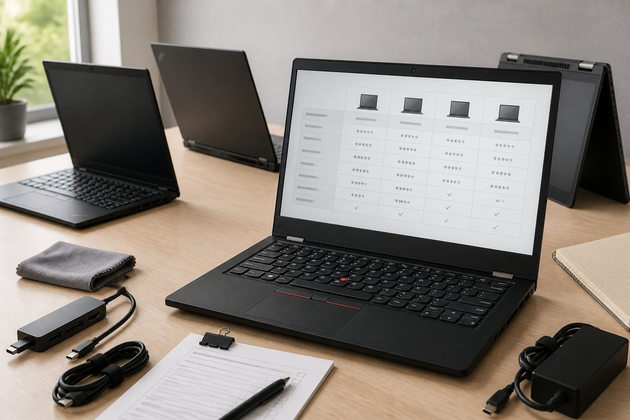
Off-lease laptops represent excellent value for money in the secondary tech market. In the world of enterprise machines, Lenovo ThinkPads are considered the best by Linux enthusiasts, students, and professionals looking for the best deals. These laptops are built to be used in difficult environments, and present military-level stability, great keyboards, reparable modularity, and excellent support well beyond the warranty period.
However, it is very important to navigate the secondary market carefully. There have been so many laptop iterations over the years, that one must learn to sort the outdated models from the actual performance deals. This guide provides you with all the essential hardware benchmarks and details the top refurbished ThinkPad models you should look out for.
-
Processor (CPU): You should aim to get a minimum of an 8th Generation Intel Core processor (e.g., Core i5-8250U or i7-8550U) or an AMD Ryzen 3000/4000 series chip. Intel 8th Gen brought standard quad-core performance to the mainstream thin-and-light laptop segment, and was found to double multi-threaded performance when compared to 7th Gen dual-core chips. Importantly, both these 8th Gen Intel chips and the AMD Ryzen chips meet Microsoft’s official system requirements for Windows 11.
-
Memory (RAM): Aim for 16 GB of RAM. While 8 GB of RAM is enough for web browsing, modern web browsers and productivity suites gobble up memory, and many soon-to-be-released apps will demand even more. Of course, if you buy a ThinkPad with socketed RAM, you can always upgrade it yourself later – but if you buy one with soldered memory, you’ll have to ensure you get sent with enough RAM right from the get-go.
-
Storage: Make sure it comes with a Solid State Drive (SSD), ideally NVMe PCIe-based. And don’t trust any listing with a Hard Disk Drive (HDD) in it.
-
Display: Only go for 1080p (1920x1080) IPS panels or higher. In the past, Lenovo like many other manufacturers equipped their entry level models with low-resolution 768p TN screens. These panels have very low contrast, extremely narrow viewing angles, and a muted color gamut.
1. Undisputed Value Champion: ThinkPad T480
The ThinkPad T480 is generally recognized by hardware nerds as the high-water mark of modern modular ThinkPad design. Released in 2018, it’s a good mix of performance and repairability.
- Why it’s worth buying: The last T-series model to include Lenovo’s “Power Bridge” dual-battery system. That allows you to hot-swap an external battery without turning off the device. Also includes two fully accessible RAM slots (up to 64GB DDR4), Thunderbolt 3, full-sized Ethernet, and an SD card reader.
- Best for: Developers, tinkerers, and regular people who prioritize upgradeability and battery life over thinness at all costs.
2. Ultraportable Classic: ThinkPad X1 Carbon (Gen 6)
If a laptop’s weight and premium materials are your priority, the ThinkPad X1 Carbon Gen 6 still presents a great ultrabook value.
-
Why it’s worth buying: The Gen 1 and Gen 2 ThinkPad T14 laptops are often available for significantly less than Intel T14 models—especially the Ryzen 4000 series Gen 1 units. With mil-spec durability and many repairable, upgradable components (including two RAM slots and a 2.5-inch drive bay), these ThinkPads make excellent, repairable workhorses.
-
Key consideration: While there are lists of compatible 2.5-inch SATA drives for the T14, Lenovo doesn’t officially support or certify them.
-
Best for: Programmers and power users, remote workers, and small business owners who want a laptop they can keep running longer by repairing and upgrading components themselves.
-
ThinkPad L380 Yoga/L390 Yoga/L13 Yoga/L14/L15: These devices share similar BIOS firmware and software issues stemming from Lenovo’s lackluster support, design flaws, and hardware problems.
-
ThinkPad T480s∆/T490s∆: The [asterisk] symbol denotes similar issues—the T480s is prone to overheating because of an inadequate thermal design to cool the i7 quad-core CPU and Nvidia GeForce MX150 graphics within an extremely thin chassis. The T490s is from the same mold with updated hardware.
-
ThinkPad X1 Yoga 3rd gen 4th gen: Preliminary reviews of the 2020 fourth-gen model have criticized the device for poor thermals leading to loud fan noise and performance throttling. This is similar to existing complaints users have about the 2018 third-gen model.
-
T470/T480/T570/T580: Older models from 2017 that still suffer from PWM flickering screens on lower brightness settings and have inadequate cooling for their i7 configurations. The T570 and T580 further suffer from reduced CPU performance when operating on battery power and not plugged in.
-
ThinkPad E480/E490/E580/E590∆: The [asterisk] symbol is here because of reported throttling issues on E480/E580 and the i5-8250U processor. The E490/E590 inherit the same flaw.
-
ThinkPad X1 Tablet 3rd gen: Users report intermittent fan noise despite the tablet being passively cooled. This generates a great deal of unnecessary fan spinning and battery drain.
-
ThinkPad E15∆: The unpleasant new keyboard design introduces a column of page navigation keys to the far right of the Enter key, replacing what has traditionally been several useful keys. The [asterisk] symbol is also here because these models come with i7 CPUs that apparently throttle frequently.
-
All with the new inverted motherboard “Bridge Battery System”: The removal of the external battery of the older design causes many users to experience excessive battery wear, which in some cases has rendered the device unusable within a year or two of purchase.
-
All equipped with the modern Realtek w/ ALC285 audio codec for Linux users: Arch wiki has users reporting a high-pitched whine during music playback, even when using the Realtek w/ ALC298 kernel that is supposed to fix it.
-
Anything with USB-C charging: These are infamously easy to fry if you plug in an incorrect power adapter. Over time, the port may even fail from using an official and presumably correct charger.
∆ Applies to all models in this series. PeppermintCamero, CC BY-SA 4.0, via Wikimedia Commons
- Confirm the model, year, specs, and condition: This should be obvious, but it’s surprising how many listings omit critical details or use outdated photos. Always make sure the laptop in the listing matches the model you’re trying to buy.
- Verify battery health: Check the number of battery cycles listed. If battery capacity isn’t provided, ask the seller to download a free utility like HWMonitor to generate a battery report. We recommend refurbishers provide a near-new battery with at least 75% capacity (i.e., 23.25 Wh of original 31 Wh capacity).
- Confirm the warranty: If the ad mentions a Lenovo warranty, request a photo of the official Lenovo page that verifies it. Warranty coverage can often be transferred, so this is an important detail.
- Ensure original components: Many listings replace the original SSD, memory, or screen with inferior or non-OEM parts. Don’t be afraid to ask.
- Check for BIOS locks: Previous owners or ex-employers may have locked the BIOS. If this happens, you may not be able to reset the supervisor password needed to reconfigure BIOS storage settings, potentially bricking the laptop.
- Remember the keyboard: Chinese/Taiwanese sellers may accidentally ship an English unit, or vice versa. Also, some buyers have keyboard layout preferences due to differences in the shape of the “Enter” key on U.S. boards.
- Ask about cosmetic condition: Confirm wear by asking about the smoothness of the trackpad, shine on the keys, and clarity of the screen. Issues like a shiny, worn TrackPoint (TrackPoint II, III, or IV) can’t be conveniently repaired or replaced.
- Factor in the heater issue: Does the listing mention preparing the laptop with a heater for normal use during cold months? If so, it might have some battery drain in sleep mode.
- Does the listing mention any modifications, either to the hardware or software?
- Check BIOS: Ask the vendor to confirm Supervisor Password is unlocked.
- Check Computrace: Request a picture of the BIOS info page showing Computrace as disabled/not activated.
- Check Display: Verify “1080p IPS” or “FHD IPS” in the listing.
- Check Battery Health: Ask for estimated remaining capacity or expected runtimes. For dual-battery models, ensure both are operational.
Refurbished ThinkPads are a great way to obtain professional-grade equipment at a fraction of the cost. For most people, a ThinkPad T480 is the best option in terms of price, repairability, and performance. People wanting to stay lightweight should definitely go for the X1 Carbon Gen 6, while those wanting more power could go for an AMD-powered ThinkPad T14 Gen 1 or Gen 2. Stick with 8th Gen Intel or newer AMD, check the screen, and update the BIOS, and you’ll be ready to go on a solid laptop for years to come.